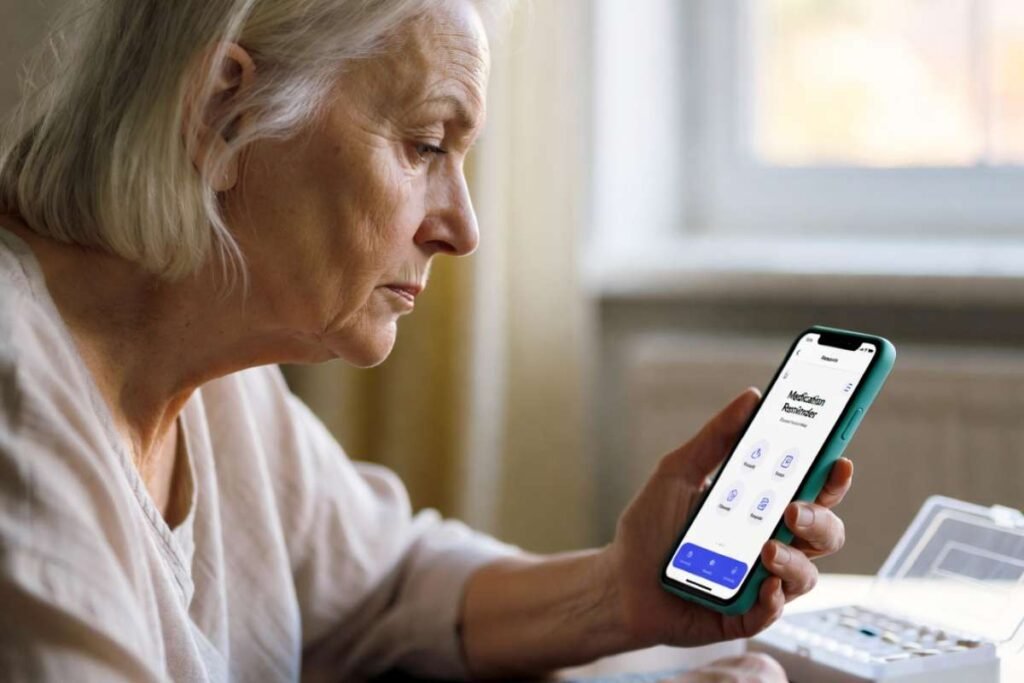
If you are looking for ways to prevent missed doses, here are the best medication reminders to try. Reliable prompts matter because missing medications increases the risk of hospitalization and worsens outcomes. Nonadherence costs health systems billions every year. Contemporary reminders are more than alarms: intelligent adherence-tracking apps, automated pill dispensers, medication-aware wearables, voice-assistant reminders, and caregiver-connected systems that confirm doses.
Here you’ll find evidence-based options and guidance on what reminder works best for different lifestyles, budgets, and complex regimens so you can select the system that enhances adherence and health outcomes.
Table of Contents
Best Medication Reminders at a Glance:
Best Medication reminders at a glance: the simplest option is a reminder app, but the best choice depends on whether you need low cost, caregiver support, or hands-free alerts. Here’s a brief comparison
| Reminder type | Best for | Cost | Pros | Limitations |
| Reminder apps | Everyday personal use | Free to low | Easy setup, repeat alerts, dose tracking | Needs phone use and charging |
| Smart pill dispensers | Complex schedules | Mid to high | Automatic dispensing, fewer missed doses | Higher upfront cost |
| Wearables | People always on the move | Mid | Silent nudges, convenient | Limited medication detail |
| Voice assistants | Home routines | Free to low | Hands-free reminders | Less private, requires device |
| Caregiver-connected systems | Seniors or shared care | Mid to high | Family oversight, missed-dose alerts | More setup and subscription cost |
Which Type of Medication Reminders is Right for You?
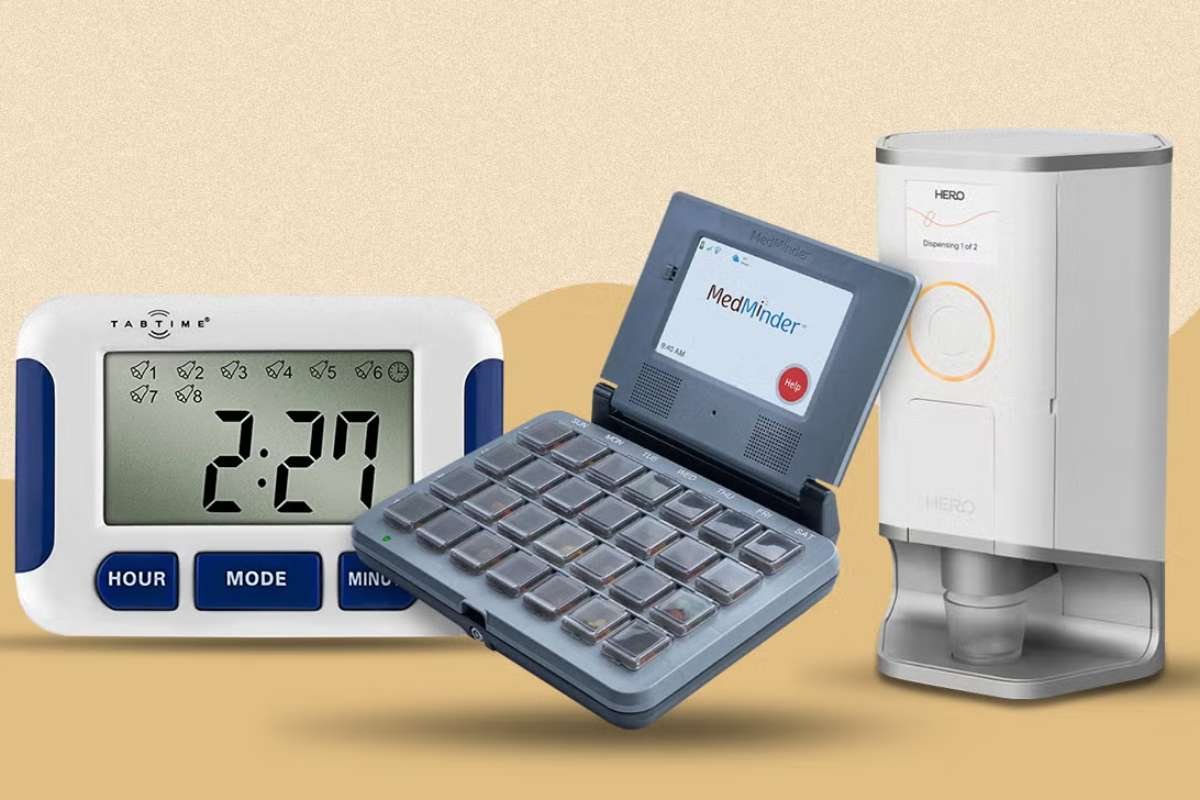
Selecting suitable medication reminders depends on your routine, tech comfort, and whether someone else needs to monitor doses. Use this simple decision tree:
- Need the cheapest option and take meds at home? Choose pill organizers.
- Want easy phone alerts and dose tracking? Choose apps.
- Take many pills or miss doses often? Choose smart dispensers.
- Already wear a smartwatch all day? Choose smartwatches.
- Prefer hands-free reminders at home? Choose voice assistants.
- Want basic, low-tech nudges? Choose SMS reminders.
Also read: Medication Management in the Elderly: Strategies, Challenges, and Solutions
Best fit by user type:
- Busy adults: Apps or smartwatches.
- Older adults: Pill organizers or smart dispensers.
- Caregivers managing someone else’s meds: Smart dispensers with alerts.
- Minimal tech users: SMS reminders or pill organizers.
- Complex medication schedules: Smart dispensers or apps with tracking.
Simple rule:
Start with the least complicated option that you will actually use every day. If missed doses are common, move up to a system with alerts, tracking, or caregiver support.
Here are the Top 20 Best Medication Reminders Apps of 2026:
The best medication reminder is not always a smartphone app. Depending on age, routine complexity, and support needs, smart pill dispensers, wearables, and voice assistants can be more effective than a phone alone.
Best Medication Reminder Apps:
| No | Name | Best For |
| 1 | Medisafe | Complex medication schedules & drug interaction alerts |
| 2 | MyTherapy | 100% free, privacy-focused health & medication tracking |
| 3 | Apple Health (Medications) | iPhone & Apple Watch users wanting a built-in, zero-clutter tool |
| 4 | Google Keep & Google Assistant | Simple, voice-activated & location-based Android reminders |
| 5 | Round Health | Flexible schedules, reminder windows & shift workers |
| 6 | DoneDose | Injectable medications (GLP-1s, insulin) & site rotation |
| 7 | CareClinic | All-in-one chronic condition & multi-symptom management |
| 8 | Dosecast | Managing regimens across multiple family members on one device |
| 9 | CareZone | Adult children managing elderly parents or family health |
| 10 | SMS / Text Pill Reminders | Non-tech-savvy users or basic flip-phone owners |
| 11 | MyDoses (by DosePacker) | Patients receiving pre-sorted unit-dose blister pouches |
| 12 | Hero Health (Smart Dispenser) | Seniors with heavy pill burdens needing automated sorting |
| 13 | Pillsy (Smart Cap) | Hardware reminders without a large tabletop dispenser |
| 14 | Mango Health | Habit building through gamification and rewards |
| 15 | MyMedSchedule Plus | Patients who want clean, printable charts for doctor visits |
| 16 | GoodRx App | Combining prescription discount coupons with dosage reminders |
| 17 | PillPack (by Amazon Pharmacy) | Pre-sorted mail-order packets linked directly to app schedules |
| 18 | MedMinder (Smart Pillbox) | Elderly patients or individuals requiring locked compartment security |
| 19 | Reminder with Tracker (iOS Local) | Privacy-sensitive iOS users seeking an offline-only, local tool |
| 20 | EllieGrid (Smart Pill Organizer) | On-the-go individuals wanting a stylish smart organizer |
1. Medisafe

- Official Website: medisafe.com
- Best For: Complex medication schedules and drug interaction alerts.
- Key Features: Visual virtual pill cabinet, “Medfriend” caregiver missed-dose notifications, drug-to-drug interaction checks, and automated refill tracking linked with major pharmacy chains.
- Pros: Highly customizable UI with lock-screen dose confirmations; excellent long-term adherence reporting.
- Cons: Advanced features like unlimited Medfriends require a Medisafe Premium subscription; ads are present on the free tier.
2. MyTherapy
- Official Website: mytherapyapp.com
- Best For: Users seeking a 100% free, privacy-focused health and medication tracker.
- Key Features: Intake tracking, symptom and mood logging, printable doctor-ready PDF reports, and habit tracking.
- Pros: Completely free with no ads; strict European data privacy compliance.
- Cons: Interface is simpler compared to paid competitors; limited options for complex injection rotation schedules.
3. Apple Health (Medications)
- Official Website: Apple Support — Track Your Medications
- Best For: iPhone and Apple Watch users who want a built-in solution without extra downloads.
- Key Features: Camera pill bottle scanning, Critical Alerts that bypass silent modes, drug-to-drug interaction checks, and seamless Apple Watch integration.
- Pros: No third-party account required; built right into iOS with zero ads.
- Cons: Restricted strictly to Apple devices; offers limited caregiver remote-monitoring features.
4. Google Keep & Google Assistant
- Official Website: keep.google.com
- Best For: Android users wanting simple, voice-activated medication reminders.
- Key Features: Voice-prompted scheduling via Google Assistant, location-based reminders (e.g., “remind me when I get home”), and checkable list widgets.
- Pros: Free, lightweight, and pre-installed on most Android devices without setup hassles.
- Cons: Lacks dedicated health logs, drug interaction safety checks, or pill inventory tracking.
5. Round Health
- Official Website: roundhealth.io
- Best For: People with flexible routines or shift workers.
- Key Features: Visual “reminder windows” rather than strict fixed times (e.g., take between 8:00 AM and 10:00 AM), ring progress tracking, and customizable snooze intervals.
- Pros: Non-intrusive notification style; elegant, minimalist interface.
- Cons: Available on iOS only; lacks caregiver monitoring or multi-user profiles.
6. DoneDose
- Official Website: donedose.app
- Best For: Users taking injectable medications (GLP-1s, insulin, biologics) requiring site rotation.
- Key Features: 3D interactive body map for injection site rotation, combined oral pill + injection logging, and exportable dose histories.
- Pros: Prevents tissue scarring through visual site tracking; tailored specifically for injectable routines.
- Cons: iOS-focused; unnecessary features if you only take daily oral pills.
7. CareClinic
- Official Website: careclinic.io
- Best For: All-in-one chronic condition and multi-symptom management.
- Key Features: AI-driven correlations between dosage, symptoms, and vitals; integrated health diary; team sharing; and Apple Health/Google Fit syncing.
- Pros: Offers deep analytical insights for managing chronic illnesses alongside medication.
- Cons: Steeper learning curve due to the vast array of tracking features; requires a subscription for full access.
8. Dosecast
- Official Website: dosecast.com
- Best For: Managing complex medication regimens across multiple family members on a single device.
- Key Features: Flexible scheduling (e.g., “every 6 hours” or “as-needed” PRN rules), multi-person profiles, and automatic time-zone adjustment during travel.
- Pros: Highly adaptive for complex, changing dosage instructions.
- Cons: Visual interface looks dated compared to modern iOS/Android design standards.
9. CareZone
- Official Website: carezone.com
- Best For: Adult children managing elderly parents or family health logistics.
- Key Features: Multi-profile management, prescription bottle photo-scanning, centralized medical document storage, and contact lists for doctors and pharmacies.
- Pros: Excellent centralized hub for family coordination during doctor appointments.
- Cons: User interface is less streamlined than single-user apps.
10. SMS / Text Pill Reminders
- Official Website: textspot.io
- Best For: Seniors or non-tech-savvy users using basic flip phones.
- Key Features: Automated text messages sent directly to any mobile number with simple “YES” or “NO” reply confirmation tracking.
- Pros: Works on any mobile phone without needing a smartphone, app store, or internet connection.
- Cons: Basic reporting features; lacks pill images or drug interaction tools.
11. MyDoses (by DosePacker)
- Official Website: dosepacker.com
- Best For: Patients receiving pre-sorted unit-dose blister pouches from partner pharmacies.
- Key Features: QR-code setup by scanning prescription pouches, automated adherence logging, and real-time pharmacy refill alerts.
- Pros: Eliminates manual typing of pill names and dose times into the app.
- Cons: Highly dependent on using a partner pharmacy that supports DosePacker pouches.
12. Hero Health (Smart Dispenser)
- Official Website: herohealth.com
- Best For: Seniors or patients with heavy daily pill burdens needing automated sorting.
- Key Features: Countertop device that stores, sorts, and dispenses pills at programmed times; audible chimes; cellular app connection for remote caregiver alerts.
- Pros: Virtually eliminates manual sorting mistakes; notifies family immediately if a dose is missed.
- Cons: Requires a monthly subscription plus an initial setup fee; bulky countertop footprint.
13. Pillsy (Smart Cap)
- Official Website: pillsy.com
- Best For: People who want hardware reminders without buying a large tabletop dispenser.
- Key Features: Bluetooth-enabled bottle cap that blinks, beeps, and automatically registers doses when the bottle is opened.
- Pros: Automatic logging reduces manual tapping in mobile apps; helps prevent double-dosing.
- Cons: Requires purchasing physical caps for each medication bottle; coin cell batteries need periodic replacement.
14. Mango Health
- Official Website: mangohealth.com
- Best For: Users who build habits through gamification and rewards.
- Key Features: Points earned for logging medications on time, raffle entries for gift cards, side-effect recording, and drug interaction warnings.
- Pros: Engaging, reward-focused design motivates long-term adherence.
- Cons: Monetary reward availability varies; fewer clinical export tools than health-focused apps.
15. MyMedSchedule Plus
- Official Website: mymedschedule.com
- Best For: Patients who prefer clean offline backup charts to hand to healthcare providers.
- Key Features: Customizable printable pill charts with pictures of exact pill shapes and colors, history tracking, and contact directories.
- Pros: Excellent physical paper exports that doctor offices and emergency workers easily understand.
- Cons: Visual design is plain; requires manual input for initial setup.
16. GoodRx App
- Official Website: goodrx.com
- Best For: Budget-conscious users looking to combine prescription discounts with medication reminders.
- Key Features: Built-in pill schedule notifications combined with prescription discount coupons and local pharmacy price comparisons.
- Pros: Dual utility, saves money on medications while keeping track of dose times.
- Cons: Reminder engine is basic compared to dedicated apps like Medisafe; heavy focus on discounts.
17. PillPack (by Amazon Pharmacy)
- Official Website: pillpack.com
- Best For: People who want mail-order pre-sorted packet delivery tied directly into app reminders.
- Key Features: Medications arrive in daily time-stamped packets; app syncs automatically with active prescriptions and delivery schedules.
- Pros: Zero setup required for dosing schedules—the pharmacy configures the software automatically based on orders.
- Cons: Requires switching your primary prescription fulfillment over to PillPack / Amazon Pharmacy.
18. MedMinder (Smart Pillbox)
- Official Website: medminder.com
- Best For: Elderly patients or individuals with dementia requiring secure, locked access.
- Key Features: Tray compartments light up sequentially; only the specific assigned dose compartment unlocks at scheduled times; built-in cellular connections for alert calls.
- Pros: Maximum safety against accidental double-dosing or opening wrong compartments; does not require home Wi-Fi.
- Cons: Higher monthly service fee; device is relatively large.
19. Reminder with Tracker (iOS Local)
- Official Website: Apple App Store — Search Local Reminders
- Best For: Privacy-sensitive iOS users seeking a lightweight, offline-only app.
- Key Features: Uses native iOS local notification frameworks, zero cloud data transfer, and quick-check offline logs.
- Pros: Completely private with no cloud servers or tracking; works without internet access.
- Cons: No automatic cloud backup or cross-platform syncing across non-Apple hardware.
20. EllieGrid (Smart Pill Organizer)
- Official Website: elliegrid.com
- Best For: On-the-go individuals wanting a stylish, multi-compartment smart pill box.
- Key Features: High-capacity box where compartments light up using LEDs to show how many of each pill to take; Bluetooth sync to smartphone.
- Pros: You can dump full pill bottles directly into compartments without sorting individual days; sleek design.
- Cons: Upfront purchase cost ($149); requires regular USB charging.
Best Smart Pill Dispensers and Electronic Organizers
- When to choose a dispenser over an app: ideal for seniors, people with memory challenges, or anyone on complex multi-dose schedules.
- Automatic dispensing: releases the right dose at the right time to reduce human error.
- Locked compartments: prevent missed doses and double-dosing by controlling access.
- Audible and visual reminders: lights and sounds signal when a dose is due.
- Caregiver notifications: alert family or nurses if a dose is missed or delayed.
- Remote monitoring: lets caregivers track adherence without being on-site.
- Best use cases: polypharmacy, cognitive impairment, high-risk medications, and shared caregiving.
Best Wearable and Voice Assistant Medication Reminders
- Apple Watch: logs medications, sends follow-up reminders, and can record doses by tapping.
- Wear OS smartwatches: show notifications and track health data alongside medication prompts.
- Siri: hands-free logging and reminders on Apple devices.
- Google Assistant: voice reminders and routine-based alerts at home.
- Amazon Alexa: spoken prompts and smart-home routines for daily medication times.
- Smart home reminder routines: combine voice, lights, or chimes to create a consistent medication cue.
- Best for: users who want discreet wrist alerts, hands-free home prompts, or a supplement to phone-based reminders.
Features That Matter Most When Choosing a Medication Reminder:
Use this decision checklist for best medication reminders and pick the simplest option that still covers your needs. The best choice depends on how many medicines you take, whether you need help from a caregiver, and whether you want alerts offline.
- Ease of use: Choose large buttons, simple setup, and clear alerts.
- Accessibility: Look for big text, voice support, vibration, and high-contrast screens.
- Multiple medications: Make sure it can handle several doses, times, and refill cycles.
- Refill reminders: Helpful if you often run out before refilling.
- Caregiver sharing: Important if family or a nurse needs to see missed doses.
- Privacy: Check how medication data is stored and shared.
- Offline access: Useful when phone signal or internet is weak.
- Battery life: Critical for wearables and smart dispensers.
- Subscription costs: Compare free features with paid upgrades before choosing.
Simple way to decide:
- For everyday users: Start with an easy app that supports reminders and refill alerts.
- For seniors or complex routines: Use a smart dispenser or organizer with caregiver sharing.
- For busy or hands-free users: Choose a smartwatch or voice assistant.
- For low-tech needs: A pill organizer plus SMS reminders may be enough.
Tips to Remember Medications More Consistently:
Best medication reminders work best when they fit into daily habits, not when they depend on memory alone. Use these evidence-based strategies to stay consistent:
- Habit stacking: Take medicine with a fixed routine, like brushing teeth or eating breakfast.
- Keep medicines visible when safe: Store them in a place you pass often, but keep them out of reach of children and away from heat or moisture.
- Use multiple reminders: Pair alarms, app alerts, notes, or watch reminders for backup.
- Sync refills: Mark refill dates on a calendar so you do not run out unexpectedly.
- Plan for travel: Pack medicines in advance and keep a written schedule for trips.
- Add caregiver support: A family member or friend can call, check in, or help track doses.
- Keep a medication schedule: Use a chart or checklist to confirm each dose.
- Reduce reminder fatigue: Keep alerts simple and consistent so they do not get ignored over time.
A simple rule: link each dose to one daily habit, use one backup reminder, and keep a refill date visible. These small systems often work better than relying on willpower alone.
Also read: Revolutionizing Healthcare: The Role of Telemedicine in Pharmaceutical Services
Conclusion:
Finding the right system to track your daily doses doesn’t have to be overwhelming. The best medication reminders provide a good balance of simplicity and the level of support you need, whether that’s a simple app you set up on your phone, syncing reminders to a smartwatch, or a smart dispenser that updates a caregiver. The best option is always the one you are actually going to use regularly.
Think about how many pills you deal with and look at your daily routine to find a system that works well with your life. Choose your reminder method today to help you stay consistent and on schedule with your health.
FAQ:
1. What is the pill reminder for old people?
The right medication reminder tool depends on memory and dexterity. To ensure older adults stay on track, combine visual cues (like daily pill organizers) with audio-digital reminders (like smartphone apps or smart home devices).
2. Is there an app that reminds you when to take medication?
Yes, there are several highly rated medication reminder apps available for iOS and Android.
3. Is there a free medication reminder app?
For a reliable, free medication reminder, Medisafe is the top-rated choice for both iOS and Android.
4. What is the best pill reminder?
The “best” pill reminder depends on your needs, but Medisafe is the highest-rated app for smart tracking, and Hero is the top automated physical dispenser.
5. How can I remember to take my meds every day?
To easily remember your daily pills, anchor taking them to an existing habit, like brushing your teeth or making morning coffee.